Fitness • Fitness Well
How to Use a Fitness App to Organize Your Routine
A practical guide to choosing workout features, reviewing privacy, and keeping app tracking useful and optional.
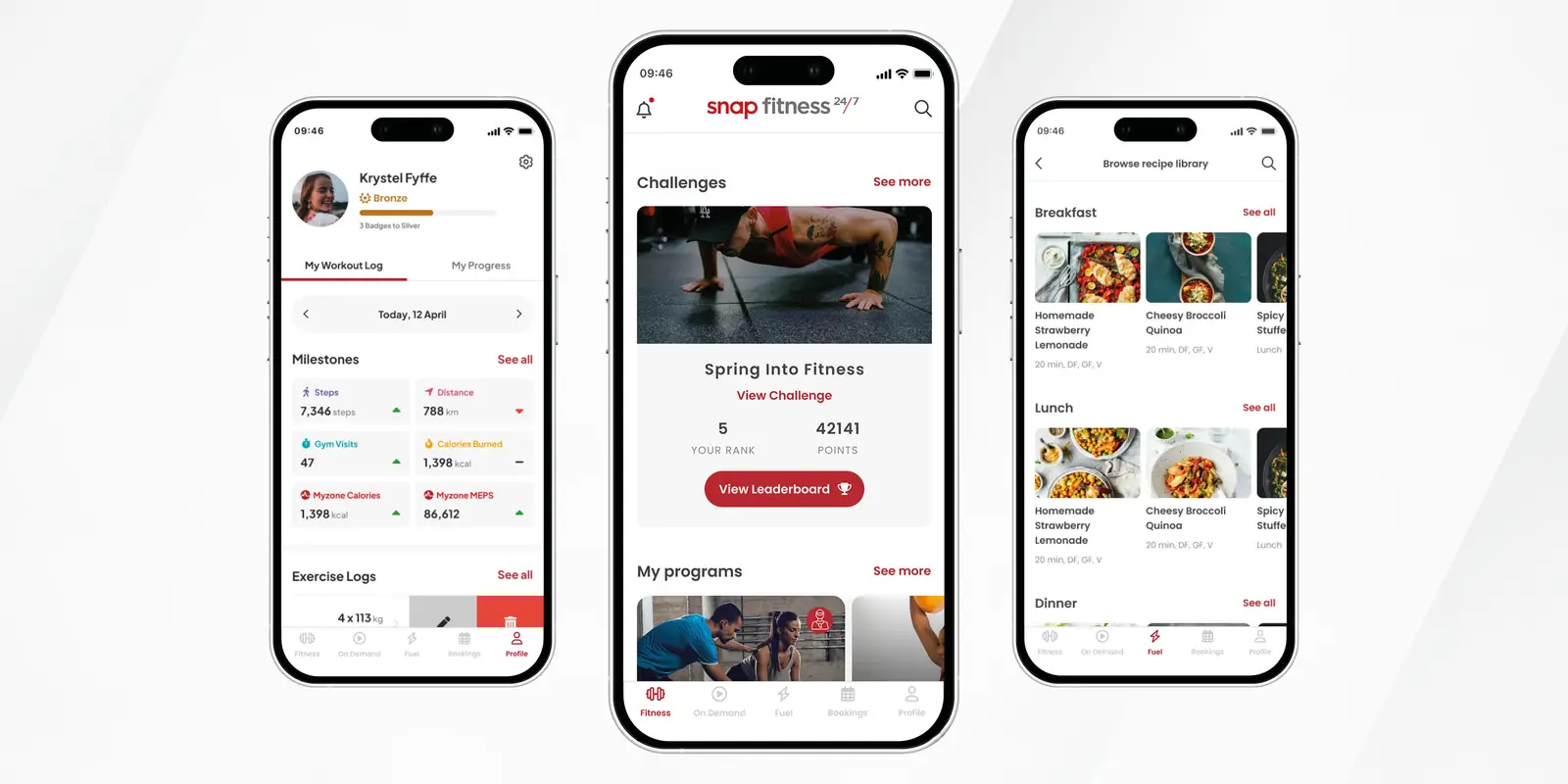
A fitness app can help organize workouts, keep a schedule, or record activity. It cannot choose the right plan for every person, guarantee results, or replace professional guidance when you have a health concern. Apps also change over time, so features mentioned in an older promotion may no longer be available. Treat this as a guide to choosing and using a tool, not a review of a particular app.
Decide what you want the app to do
Start with one practical need. Do you want a place to save workouts, a calendar reminder, exercise demonstrations, class bookings, or a record of walks? If you choose a specific job, it is easier to decide whether an app helps. You may not need a new app if your phone calendar or notes already do what you want.
Write a small goal that is under your control, such as “schedule two short walks this week” or “save a beginner strength routine.” Avoid choosing goals based on a promise in an advertisement. The U.S. Office of Disease Prevention and Health Promotion’s activity planner lets people choose activities and add minutes and days to a weekly plan.[1] A digital tool can support planning, but you can also use paper or a calendar.
Check the content before following a workout
Look at who created the workouts, whether instructions are clear, and whether the app offers easier variations. Review the setup, equipment, time, and intensity before starting. If a demonstration does not show safe positioning or does not explain how to stop, choose another option.
A program should let you adapt. You might need a chair, lower-impact exercise, more rest, or a different movement. An app that insists you complete a session despite pain or fatigue is not a good fit. If you have a health condition, disability, injury, or are returning to activity after a break, ask a clinician or qualified professional which movements are suitable.
Treat calorie estimates, body scores, and “readiness” numbers as estimates, not diagnoses. A watch or app does not know your full medical history. Do not make medication or treatment decisions based only on an app display.
Use tracking only when it helps
A workout log can show what you did and when. Record the activity, duration, and how it felt if that helps you make a plan. You do not need to track every step, calorie, meal, or measurement. If tracking makes you anxious or pushes you to exercise when you are unwell, reduce it or stop using that feature.
Keep progress private unless you choose to share it. Social leaderboards may motivate some people and discourage others. You can disable notifications or sharing if those features distract you. A routine is still useful even if an app does not award a badge or streak.
Review privacy and permissions
Fitness apps may request access to location, contacts, health data, or connected devices. Before enabling access, ask whether the feature you want needs that information. The Office of the National Coordinator for Health Information Technology recommends reading an app’s privacy policy and checking what data it collects, how it uses or shares information, and what control you have.[2]
Do not assume an app is covered by the same privacy rules as a doctor’s office. The privacy terms and data practices vary by app. If you connect a wearable or share location, review the settings and turn off access you do not need. Use a strong account password and avoid posting health details publicly unless you have decided you are comfortable with that.
Keep cost and access in view
Check whether the app is free, subscription-based, or tied to a gym membership. Review trial dates, renewal terms, cancellation steps, and whether the content works without a reliable internet connection. If a paid feature is the only reason you want the app, test the trial carefully and set a reminder before it renews.
Consider accessibility. Can you read the text, hear the instructions, use captions, or slow a video? Does the app work with a screen reader, larger text, or the device you have? If the interface is difficult, a printed routine or a trainer’s notes may be easier.
Build a routine around the tool
Choose a weekly schedule first, then use the app to support it. For example, set a reminder for a walk and save one strength routine for another day. Keep the plan realistic and leave room for rest. If you miss a session, move it or skip it; do not double the next workout to compensate.
Start with a short session and follow the demonstration at a pace you can control. Pause the video when you need to adjust equipment or rest. Stop for sharp pain, chest pressure, faintness, sudden weakness, or severe shortness of breath. Seek professional advice for symptoms that concern you.
Review whether the app is earning its place
After a week or two, ask whether the app helped you take an action you wanted to take. Did it make planning easier? Were the instructions clear? Did the notifications help or distract? Does it collect more information than you are comfortable sharing? Keep the features that are useful and turn off or remove the rest.
You are not required to use a fitness app to be active. A paper calendar, walking group, gym instructor, or routine you already know may work better. Choose a tool because it serves your needs, protects your choices, and fits your life—not because it promises a perfect transformation.
Example: use one feature for one week
Suppose your goal is to walk more consistently. Add two or three realistic time slots to a calendar, set a reminder for the first one, and use the app only to record whether you went. You do not need to connect a watch, post a result, or follow a paid plan. If a walk is not possible, mark the schedule change and choose another time rather than treating the reminder as an order.
For strength training, save a short routine with movements you already know. Check what equipment it requires and whether the video shows a beginner option. Write down questions about a movement you do not understand, then ask a qualified trainer or clinician. An app can make the instructions available, but it cannot watch your form or respond to your health history in the way an in-person professional can.
Questions to ask before starting a trial
Before entering payment details, find the renewal date, cancellation route, and features included at each price. Check whether you can download or delete your records if you stop using the service. Review whether location or wearable access is optional, and whether your workouts are private by default. The ONC recommends checking how an app manages health information and whether you can control it.[2] If the privacy terms are hard to understand, choose a tool that gives you clearer answers.
Try the app in a low-stakes way before depending on it. Open the workout library, search for one movement, test captions or audio, and see whether the app works in the place you plan to exercise. If videos buffer, text is hard to read, or the interface takes more time than the workout plan, use a simpler option.
Know when to put the phone away
A device can become a distraction if notifications interrupt a workout or if checking numbers makes you anxious. Turn on a quiet mode, place the phone where it is safe but not in your way, or use a printed plan. If your routine includes walking outdoors, avoid looking at the screen while crossing streets or navigating uneven surfaces. Safety and attention come before recording a metric.
At the end of the week, keep only the features that helped. Delete reminders you ignore, disconnect data sources you do not need, and cancel a subscription that no longer serves you. A tool should support your routine with less friction, not create a second job.
Sources and further reading
- Plan Your Week — Move Your Way Activity PlannerU.S. Department of Health and Human Services, Office of Disease Prevention and Health Promotion · Accessed 2026-11-03
- Use It: What Should I Look for in a Health App?Office of the National Coordinator for Health Information Technology · Accessed 2026-11-03